Alert Banner Icon Important notice
Starting Jan 27, 2025, access moves to smartviewhub.com (SmartView Hub login required). SmartView 2 is now available. Final SmartView 1 orders accepted until Feb 1, 2025. For support, contact sales.us@avire-global.com.

Find your region

Avire-Logo-Group

For countries not listed, see the Global site.

Note: Some products are available only in certain regions. Contact us regarding local availability.

SmartView-Behind-the-Panel-Camera-2100-SVCF
Rath
SmartView 1

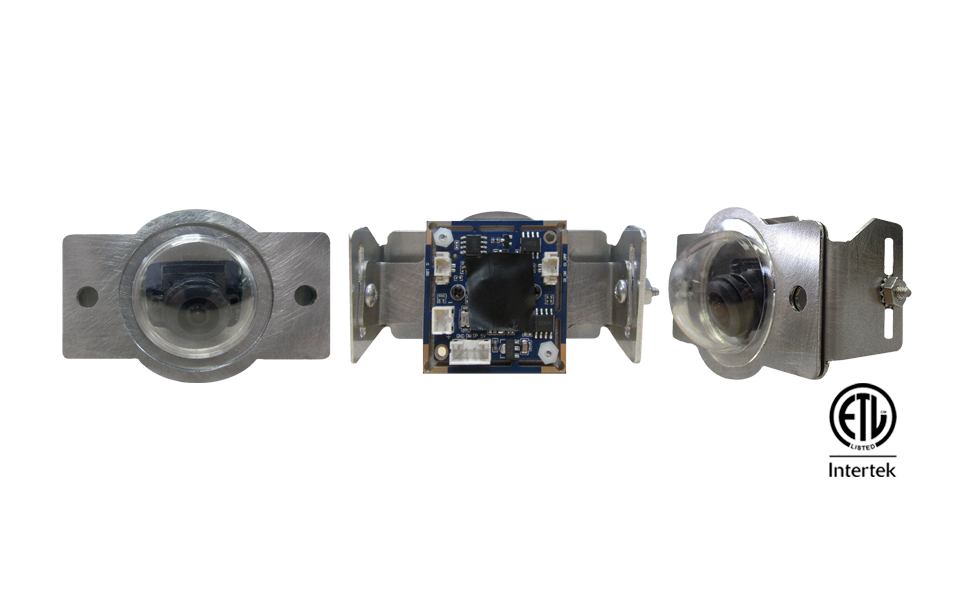
SmartView Behind the Panel Camera 2100-SVCF

Compliant with
Overview
The 2100-SVCF camera is mounted behind the panel. A 170° wide angle lens allows the monitoring agent to see the entire elevator car during an emergency.


Dimensions:

  • Camera: 1.49″ H x 1.49″ W x 0.98″ D
  • Bracket: 2.75″ H x 3.9″ W x 1″ D

Power Requirements:

  • Powered by the SmartView Controller

Wiring Requirements:

  • 16′ connection cable to the SmartView Controller included

Additional Features:

  • Clear acrylic dome included
  • Interfaces with the SmartView Controller
  • Adjustable mounting frame
  • Wide angle lens
  • Recommended mounting height 55″- 60″ from floor
  • Recommended angle adjustment 30° downward

Specifications:

  • Environmental: 32°F to 140°F (0°C to 60°C)
  • Mounting: Behind the Panel

Warranty:

  • 2 years

Files and Resources

Datasheet_2100-SVCF and SVCFCM External Cameras_SmartView 1 & SmartView 2
Data Sheets
Download
RATH SmartView Specifications
Specifications
Download

Education, Training & Support

We believe that ongoing education is paramount to your professional development.


As the code and training experts, our website offers all the documentation and educational resources needed to assist you in making the right decisions.

Education

Whether you’re looking to build your knowledge, troubleshoot an issue, or connect with a product expert – were here to help! Access the tools and support you need to make informed, code-compliant decisions.

See Education

FAQs

Get quick answers to common questions.

See FAQs

Technical Support

Schedule time with a support specialist.

Technical Support

Contact Sales

Speak with a sales expert about your project needs.

Contact Sales