
Find your region

Avire-Logo-Group

For countries not listed, see the Global site.

Note: Some products are available only in certain regions. Contact us regarding local availability.

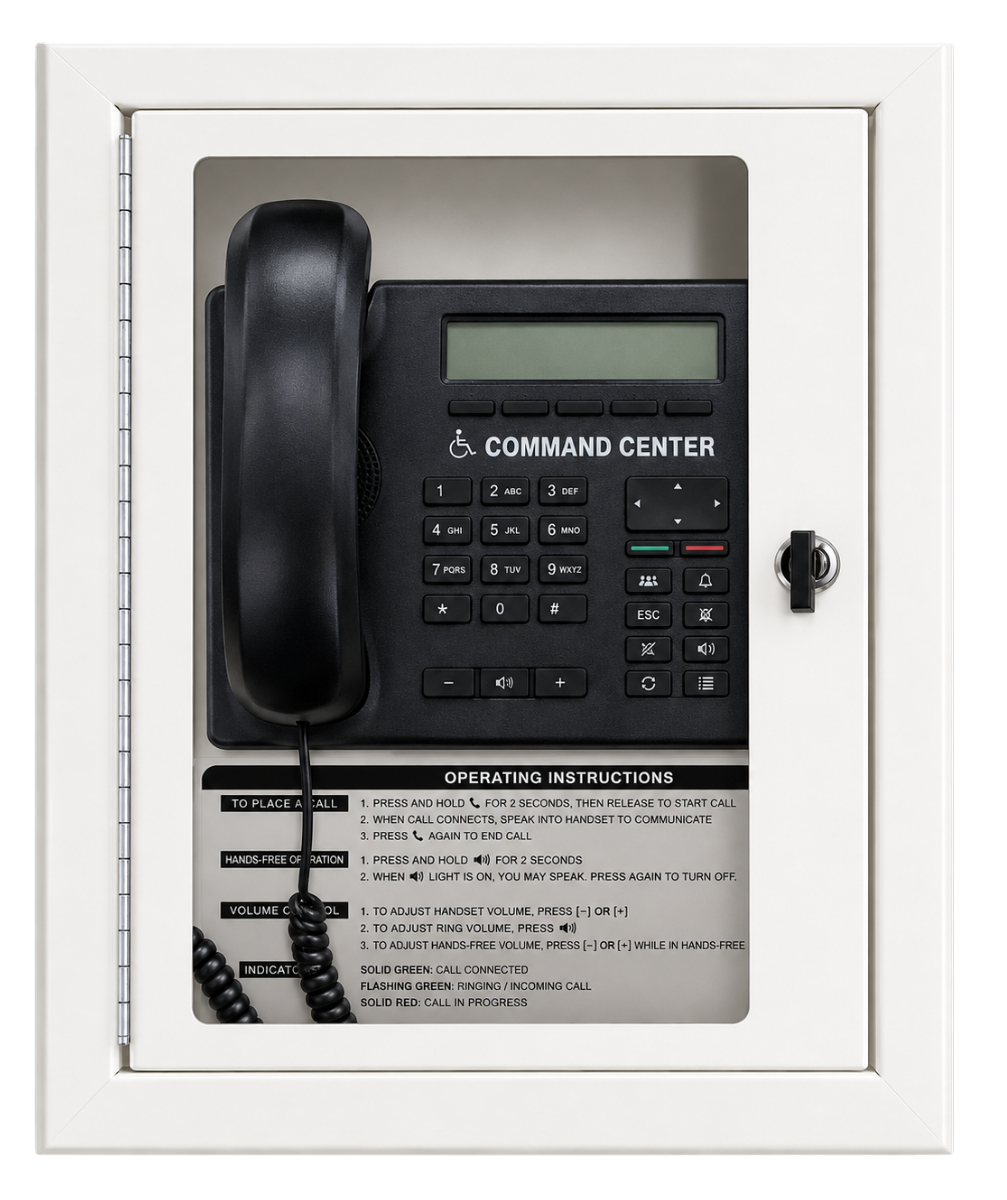
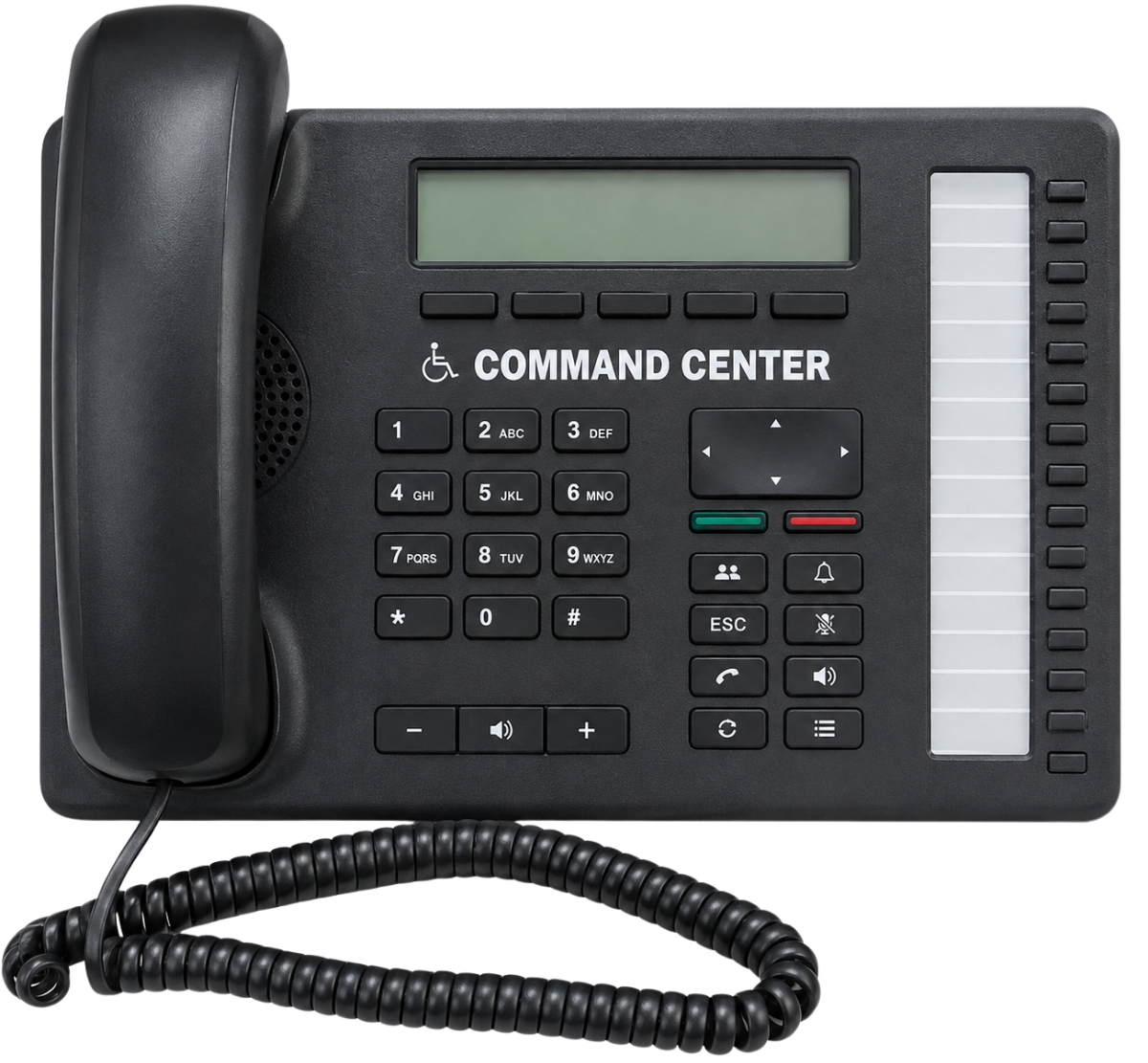
Image of 2500 Series Command Centers
Rath
Analog Command Center System

2500 Series Command Centers

Compliant with
Overview
RATH® 2500 Series Command Centers provide centralized management of emergency calls within the Analog Command Center System. Designed to support systems ranging from 1 to 116 call boxes, the Command Centers allow building personnel to receive and manage emergency calls from a designated location while built-in call queuing enables multiple call boxes to share a phone line.
 
Available in surface mount, flush mount, and desk configurations, the 2500 Series provides flexible options for a wide range of building layouts and system sizes. Main, submaster, and multiple submaster configurations support different system designs, while home-run wiring provides a dedicated connection from each call box to the Command Center.

Emergency Call Management

  • Manages emergency calls from up to 116 call boxes.
  • Built-in call queuing supports multiple simultaneous call locations.
  • Functions as an off-site caller or intercom.
  • Provides centralized emergency communication management.

Flexible System Design

  • Supports systems from 1 to 116 call boxes.
  • Available in main, submaster, and multiple submaster configurations.
  • Supports a range of system sizes and building layouts.
  • Multiple capacity options accommodate project requirements.

Installation Options

  • Available in surface mount, flush mount, and desk configurations.
  • Home-run wiring provides dedicated call box connections.
  • Supports wiring distances up to 6,200 feet with 22 AWG wire.
  • Multiple form factors provide flexible placement options.

Communication

  • Designed for analog phone line operation.
  • Supports POTS, PBX, or Central Office analog lines.
  • VoIP, cellular, and digital services may be used when converted to a compatible analog connection.
  • Uses DTMF dialing for communication.

Product Variants

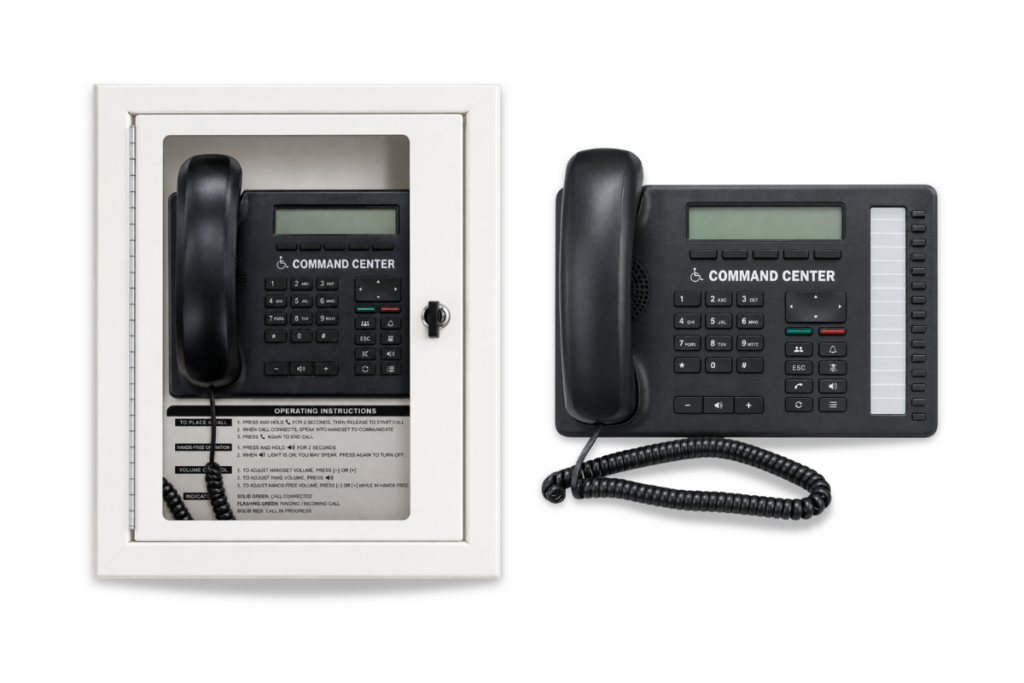
Flush MountSurface MountDesk Mount

Image of 2500 Series Command Center Surface or Flush
Image of 2500 Series Command Center Surface or FlushImage of 2500 Series Command Center Desk

Files and Resources

Datasheet_Analog Command Center_2500 Series
Data Sheets
Download
Installation Manual_Command Center
Install Guides
Download
CommandCenter Desk Mount 2500-10NC-92NC CAD Drawing
Specifications
Download
CommandCenter Flush Mount 2500-12RCF-16RCF CAD Drawing
Specifications
Download
CommandCenter Flush Mount 2500-28RCF-92RCF CAD Drawing
Specifications
Download
CommandCenter Surface Mount 2500-12RC-16RC CAD Drawing
Specifications
Download
CommandCenter Surface Mount 2500-28RC-92RC CAD Drawing
Specifications
Download
CommandCenter Distribution Module 2500-12-36 Zone CAD Drawing
Specifications
Download
CommandCenter Distribution Module 2500-56-92 Zone CAD Drawing
Specifications
Download
CommandCenter NEMA-Exterior Rated Distribution Module 2500-NE CAD Drawing
Specifications
Download
CommandCenter Block Diagram-CAD Drawing
Specifications
Download
CommandCenter with Machine Room Phones Block Diagram-CAD Drawing
Specifications
Download
CommandCenter with Machine Room Phones & Sub-Master Block Diagram-CAD Drawing
Specifications
Download
CommandCenter with additional Sub-Master Base Station Block Diagram-CAD Drawing
Specifications
Download
CommandCenter Multi-Line In-Out Block Diagram-CAD Drawing
Specifications
Download
CommandCenter with Supervisor Module Block Diagram-CAD Drawing
Specifications
Download
Command System Specification
Specifications
Download

Education, Training & Support

We believe that ongoing education is paramount to your professional development.


As the code and training experts, our website offers all the documentation and educational resources needed to assist you in making the right decisions.

Education

Whether you’re looking to build your knowledge, troubleshoot an issue, or connect with a product expert – were here to help! Access the tools and support you need to make informed, code-compliant decisions.

See Education

FAQs

Get quick answers to common questions.

See FAQs

Technical Support

Schedule time with a support specialist.

Technical Support

Contact Sales

Speak with a sales expert about your project needs.

Contact Sales