



Find your region

Avire-Logo-Group

For countries not listed, see the Global site.

Note: Some products are available only in certain regions. Contact us regarding local availability.

LMA-Line-Monitoring-Alert
Janus
Aftermarket System

LMA Line Monitoring Alert

Compliant with
Overview
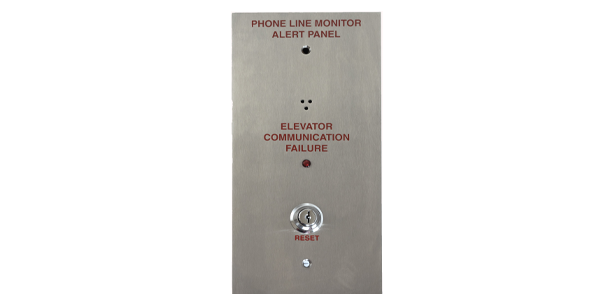
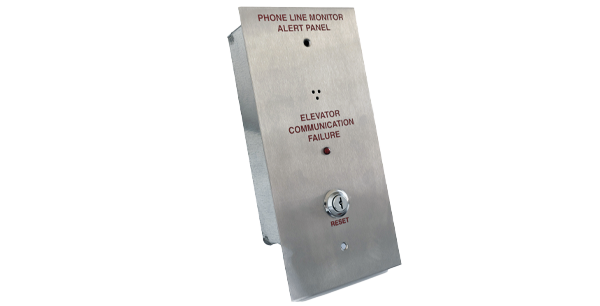
Designed to work with our EMS phones. The Phone Line Monitoring Alert Panel meets the ASME / B44 2009 and 2010 code that requires audible and visual signal in the lobby in the event of phone line failure.
When used with our phones, that have the phone line monitoring option, the LMA unit completes the system.
  • The 2100-ALARM checks the complete phone line system from the elevators to the machine room, and from the machine room to the outside world
  • If an active phone line is not detected, an audible and visual alarm at the main landing panel is activated
  • Reset allows audible signal to be silenced with standard J200 key
  • Resets automatically when phone line is restored
Style:

  • Stainless Steel Box

Faceplate:

  • 10.5″ H x 5″ W x 3″ D

Additional Features:

  • Operating current: 400mA
  • Operating Voltage: 12-24vdc
  • Operating Temp: 32° to 158°F
  • Storage Temperature Range: -4° to 158°F
  • Relative Humidity: Up to 95% (non-condensing)
  • Supplied with standard 12vdc/0.5A transformer
  • When used with LMX unit, up to ten phones can be connected to the LMA panel
  • Test feature available
  • Onboard volume control for audible signal
  • Supports external 12v LED / bulb

Weight:

  • 4 lbs.

Warranty:

  • 2 years

Files and Resources

LMA and LMA-NC_Line Monitor Alert Manual
Install Guides
Download
Datasheet_LMA LMX Emergency Communication Failure System
Data Sheets
Download
RATH Elevator Communication Failure Specifications
Specifications
Download

Education, Training & Support

We believe that ongoing education is paramount to your professional development.


As the code and training experts, our website offers all the documentation and educational resources needed to assist you in making the right decisions.

Education

Whether you’re looking to build your knowledge, troubleshoot an issue, or connect with a product expert – were here to help! Access the tools and support you need to make informed, code-compliant decisions.

See Education

FAQs

Get quick answers to common questions.

See FAQs

Technical Support

Schedule time with a support specialist.

Technical Support

Contact Sales

Speak with a sales expert about your project needs.

Contact Sales