



Find your region

Avire-Logo-Group

For countries not listed, see the Global site.

Note: Some products are available only in certain regions. Contact us regarding local availability.

Command center
Rath
Command Centers

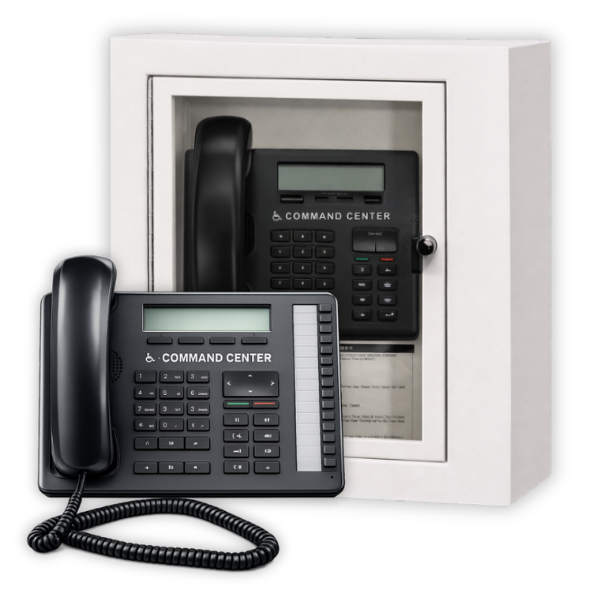
IP Command Center

Compliant with
Overview
The RATH® IP Command Center provides centralized communication between elevator systems and on-site personnel using a network-based infrastructure. Designed for buildings without traditional phone lines or those transitioning to IP systems, it enables reliable communication between elevator cabs, machine rooms, and monitoring locations over an existing LAN or dedicated network.

Built for multi-elevator environments, the system simplifies call management with clear identification, organized communication, and flexible deployment across networked systems. Supporting up to 128 zones and leveraging VoIP technology, it delivers a scalable solution for modern buildings requiring flexible, infrastructure-efficient communication.
System Architecture

  • Zoned communication system with one zone per elevator car or machine room device.
  • Central IP Command Center serves as the primary interface for all communication.
  • Distribution module connects field devices and integrates with network infrastructure.
  • Scalable architecture supporting up to 128 zones.

Call Handling & Identification

  • Dedicated zone-based identification for each connected device.
  • LED indicators provide clear visual identification of active calls.
  • Audible alerts notify personnel of incoming calls.
  • Built-in call queuing allows multiple devices to be managed efficiently.
  • Centralized interface ensures consistent call handling across networked systems.

Wiring & Infrastructure

  • Single-pair (22–24 AWG) wiring from field devices to distribution module.
  • Ethernet connectivity links the system to the building network.
  • Utilizes existing LAN or dedicated network infrastructure.
  • Reduces reliance on traditional analog phone lines.

Communication Capabilities

  • Supports intercom communication between Command Center and connected devices.
  • Enables off-site calling using VoIP-based infrastructure.
  • Operates over IP networks for flexible communication routing.
  • Supports DTMF signaling and integration with telecom systems when required.

Power & Installation

  • Powered through distribution module (28 VDC system operation).
  • Distribution module connects to 110 VAC with battery backup capability.
  • Requires network infrastructure including router and switch for full system operation.
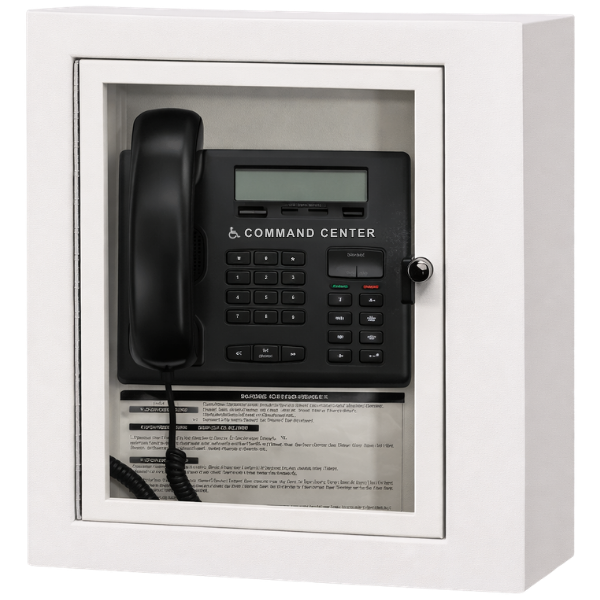
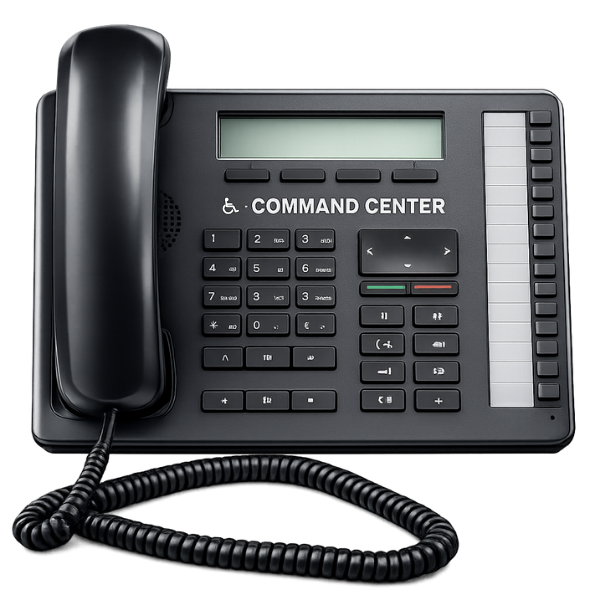
  • Available in surface, flush, and desk mount configurations.
  • Designed for installation in control rooms, lobbies, or monitoring stations.

Product Variants

Surface MountFlush MountDesk Mount
ImageCommand center in cabinetCommand center in cabinetCommand center phone
Part Numbers
10 Zone2500-10RCV2500-10RCFV2500-10NCV
32 Zone2500-32RCV2500-32RCFV2500-32NCV
48 Zone2500-48RCV2500-48RCFV2500-48NCV
96 Zone2500-96RCV2500-96RCFV2500-96NCV
128 Zone2500-128RCV2500-128RCFV2500-128NCV

Files and Resources

Datasheet_Lobby & Machine Room Communication_IP Command Center
Data Sheets
Download
RATH IP Command Center Specifications
Specifications
Download
Installation Manual_IP Command Center
Install Guides
Download
System Overview_IP System Supervision
Specifications
Download
IP Command Center Typical System Layout Wiring Diagram
Wiring Diagrams
Download
IP System Supervision Wiring Diagram
Wiring Diagrams
Download

Education, Training & Support

We believe that ongoing education is paramount to your professional development.


As the code and training experts, our website offers all the documentation and educational resources needed to assist you in making the right decisions.

Education

Whether you’re looking to build your knowledge, troubleshoot an issue, or connect with a product expert – were here to help! Access the tools and support you need to make informed, code-compliant decisions.

See Education

FAQs

Get quick answers to common questions.

See FAQs

Technical Support

Schedule time with a support specialist.

Technical Support

Contact Sales

Speak with a sales expert about your project needs.

Contact Sales